I want to set notifications according to the usage scenario
Answer
Use the "Notification" or "Process" notification functions according to your requirements.
Overview
Explains examples of notification settings for expected usage scenarios in daily work.
Contents
- I want to notify a specific person each time a record is updated
- I want to notify members of the approval group when applying in an approval workflow
1. I want to notify a specific person each time a record is updated
Expected Usage Requirements
- Notify each time a record is updated
- Notification destination is different for each record
- Set the notification destination in the record
Screen Image
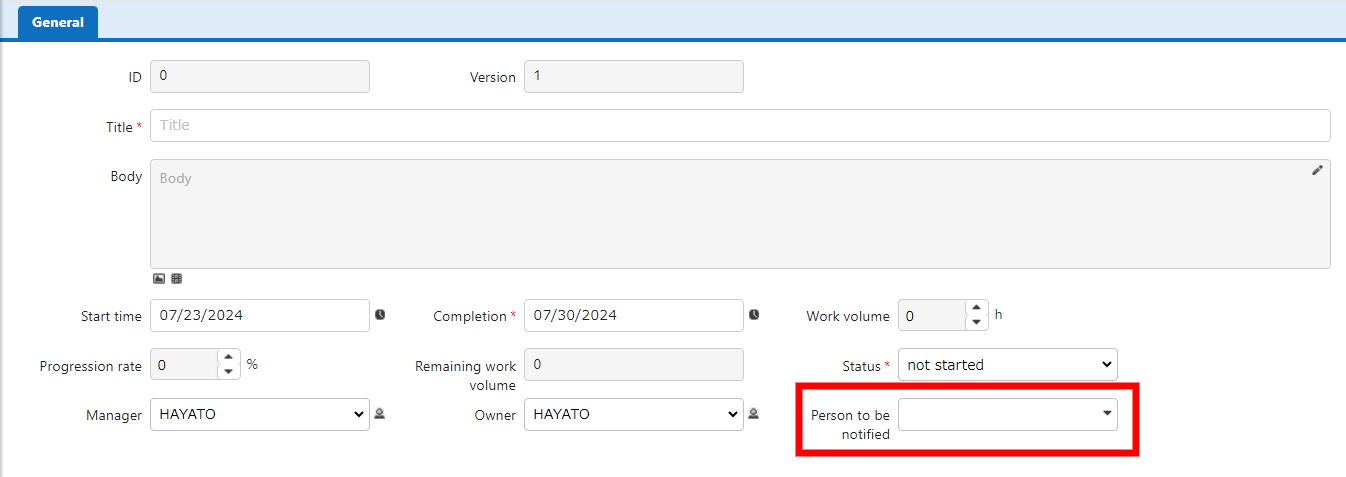
Set the column to select the notification recipient.
Set Table
1. Set "Editor"
Enable any column and set the following.
- Set the name displayed as desired
- Set "Users" as the option
- Check multiple selection (*)
*Assuming multiple people are notified
2. Set "Notification"

Set the notification settings as follows.
- In the address field, set the notification destination column name set in the editor
- Set other notification requirements as desired
Usage Image
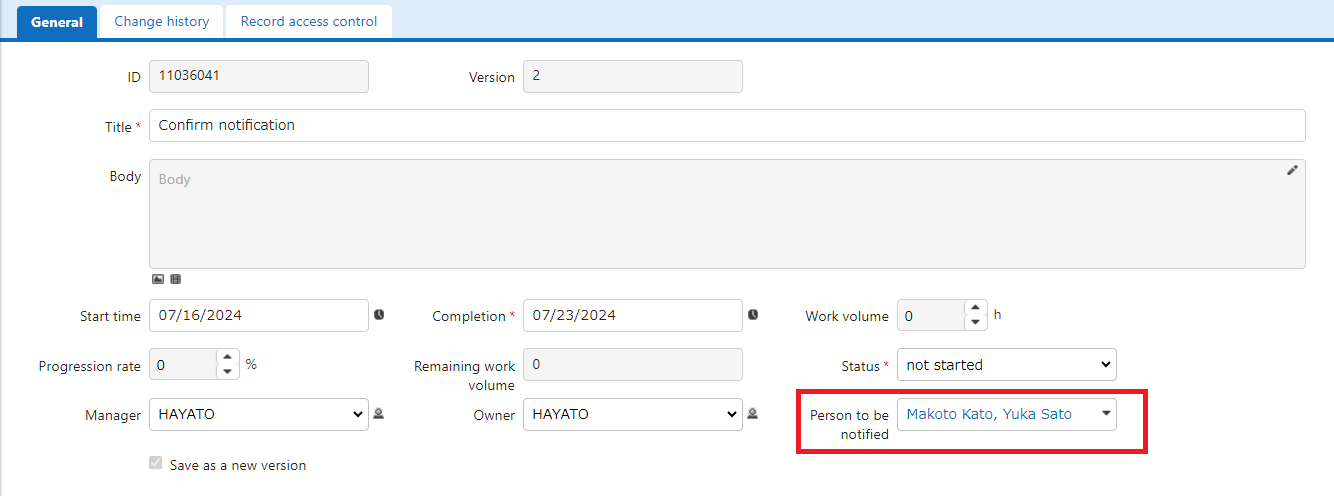
When you select the notification recipient and create or update a record, the selected user will be notified.
2. I want to notify members of the approval group when applying in an approval workflow
Expected Usage Requirements
- Set up a simple workflow such as Draft → Application → Approval
- When the submitter drafts an application, notify members with approval authority (= approval group)
Workflow image
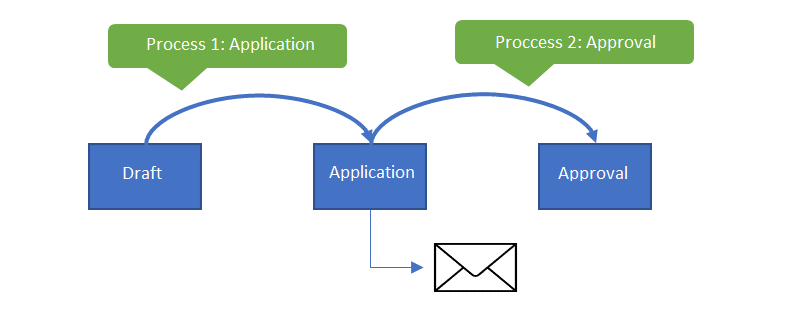
Set Group
- Prepare an approval group.
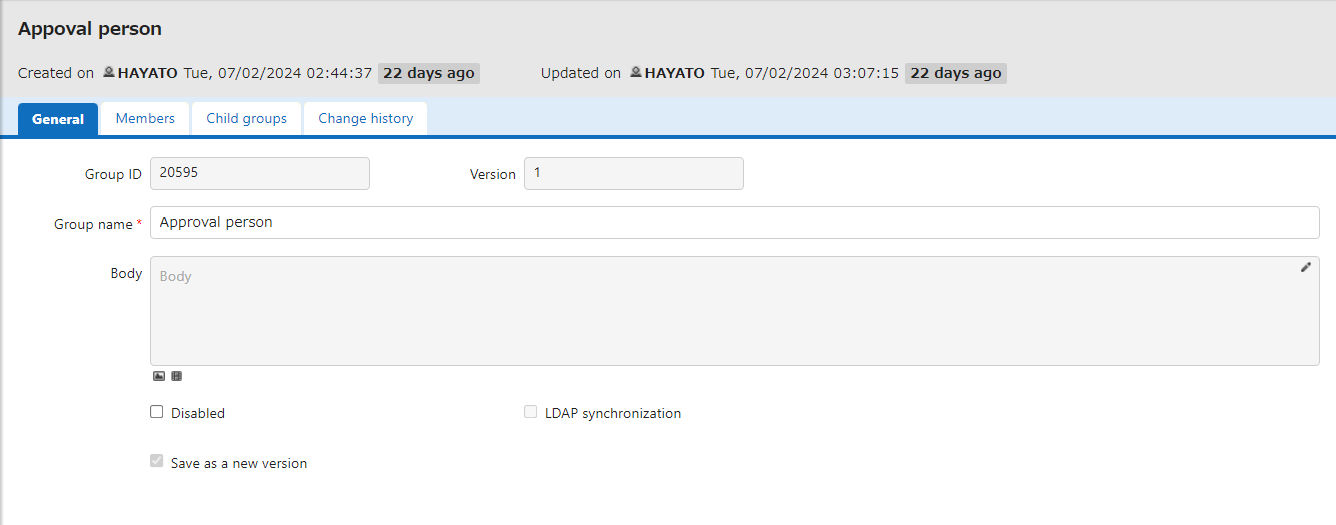
*Note the group ID, as it will be needed later.
Set Table
Set "Process"
-
Create a process for application and approval.
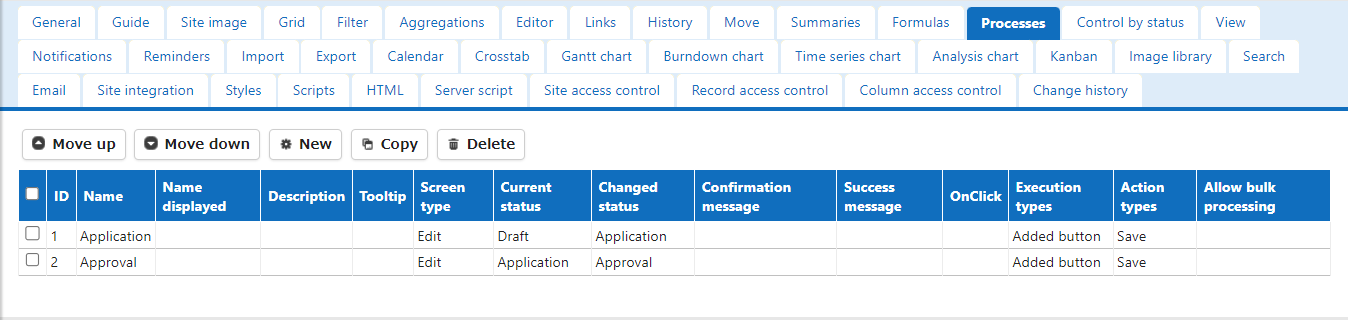
-
Set notifications for the application process.
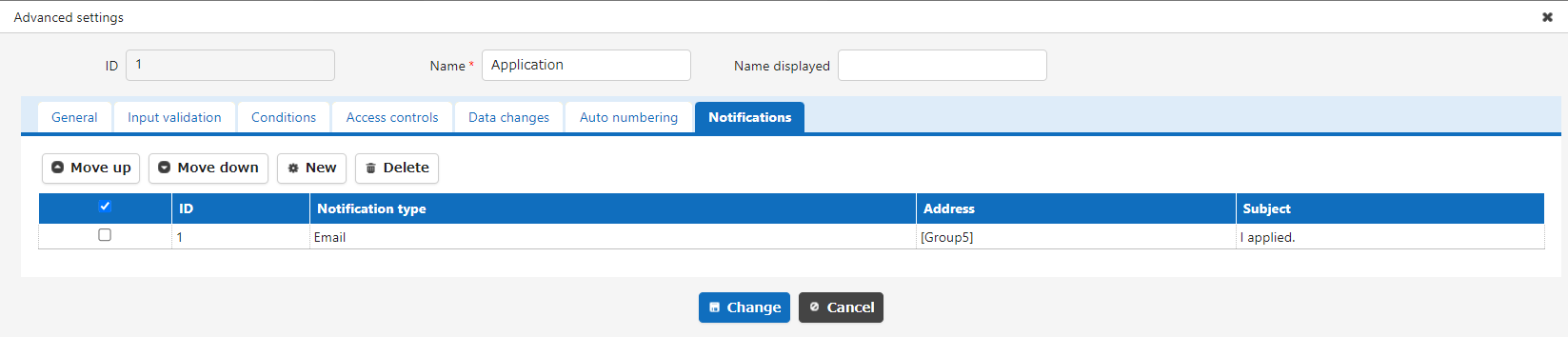
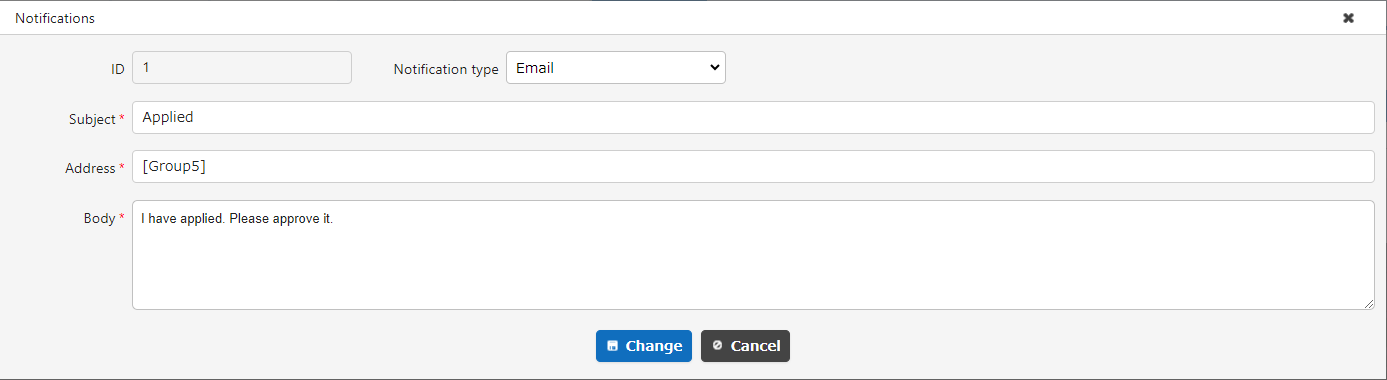
In the advanced settings of the notification, specify the group ID of the approver prepared in advance.
Usage Examples
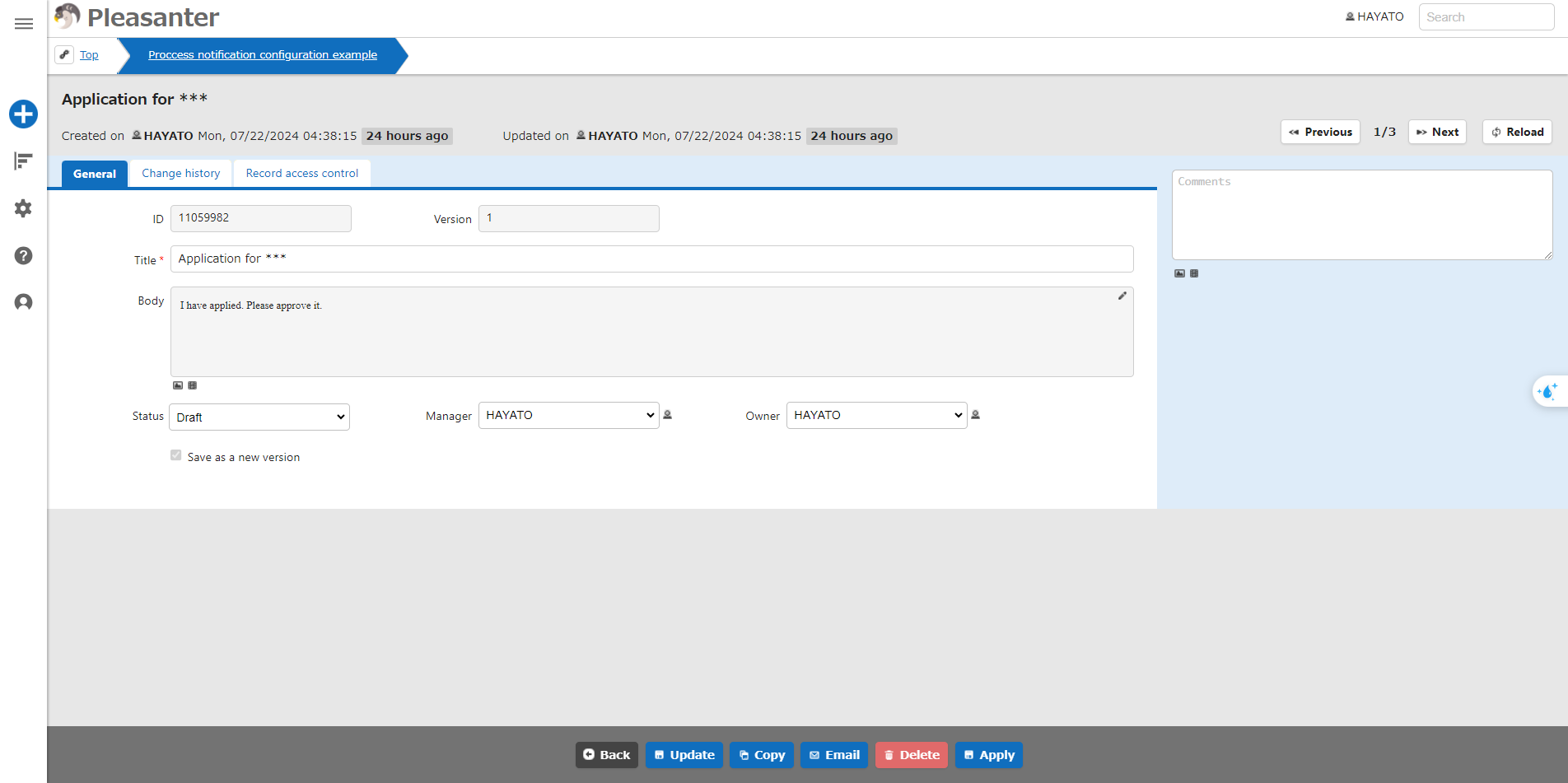
After setting, a notification will be sent to members of the approver group when the application is submitted.