I want to add an original template
Answer
Store the two setting files in ¥App_Data¥Definitions¥Definition_Template in the Pleasanter folder and restart Pleasanter.
Cautions
This FAQ is for Pleasanter version 1.3.6.0 and later. If you are using version 1.3.5.0 or earlier, please refer to the FAQ below.
FAQ: I want to add an original template (ver.1.3.5.0 or earlier)
Limitations
- You cannot create a new tab to register the original template. Please select from existing tabs.
Overview
You can register your original template as a template that can be selected when creating a new table.
Operation
- Create a new table that you want to register as a template. After creating it, please record its site ID.
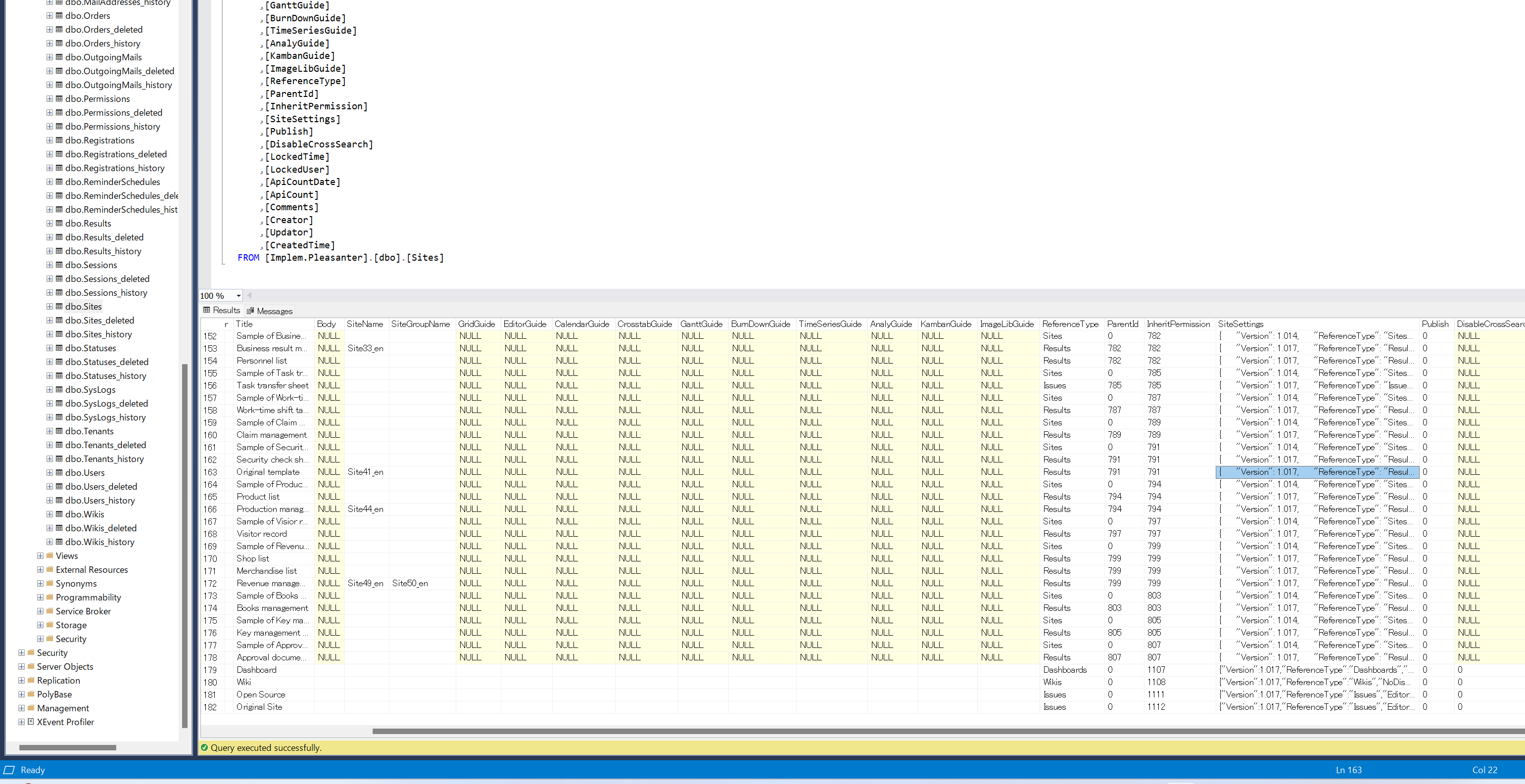
- Use SQL Server Management Studio or similar to open the dbo.sites table in Implem.Pleasanter, select the record whose SiteId matches the site ID recorded in 1., and copy the contents of the SiteSettings column. This content will be the configuration of the original template.
- Open the ¥App_Data¥Definitions¥Definition_Template folder in the Pleasanter folder.
- Create the following two json files to define the original template. Please refer to "Original Template Definition File" for the contents to be created.
- Restart Pleasanter. When creating a new template, please check that the template you added has been added to the specified location.
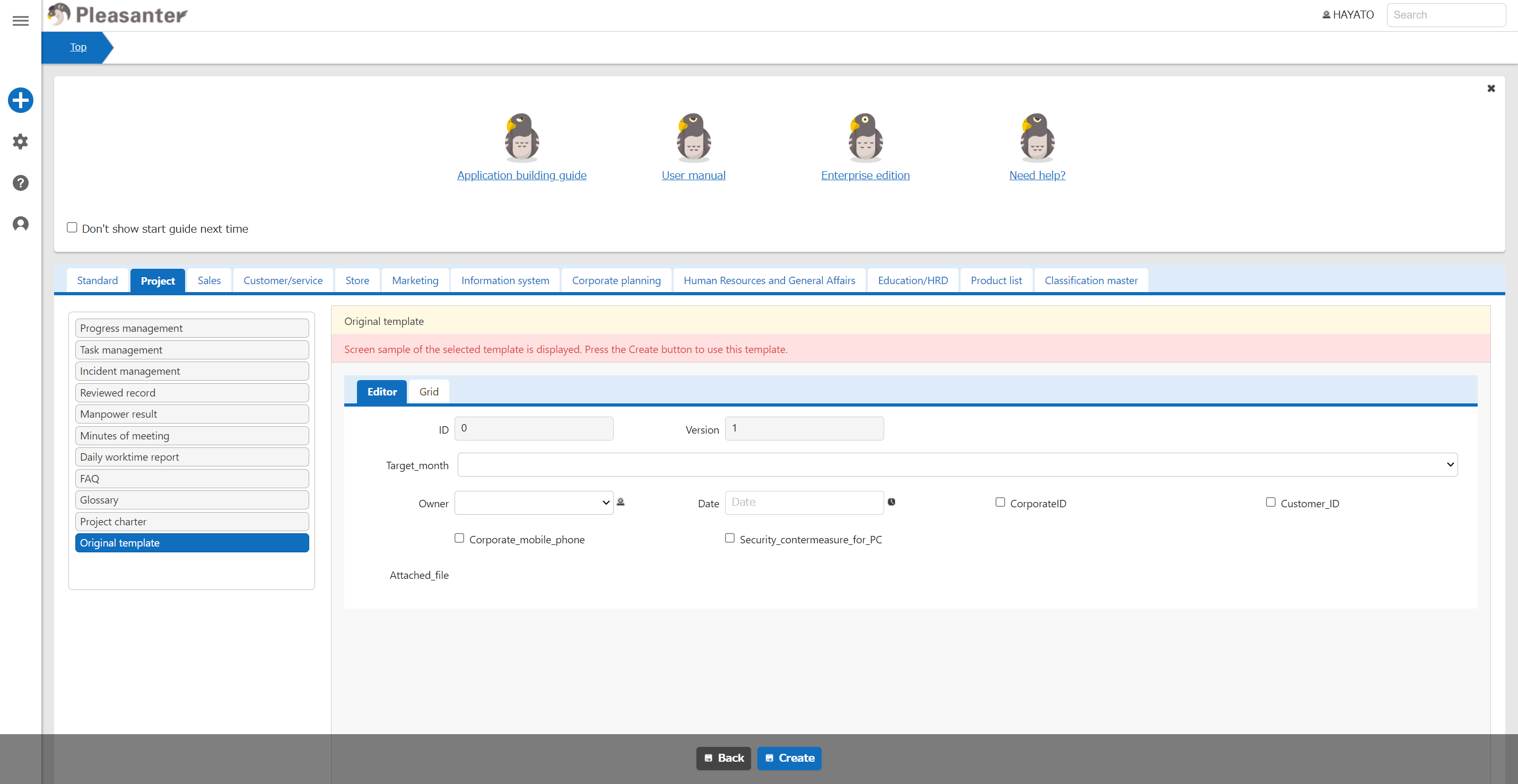
Original Template Definition File
| No | File name | Example |
|---|---|---|
| 1 | (Template ID).json | Template999.json |
| 2 | (Template ID)_SiteSettingsTemplate.json | Template999_SiteSettingsTemplate.json |
1. (Template ID).json
| No | Set column | Description |
|---|---|---|
| 1 | Id | Specify any value that does not overlap with other templates. The value specified here will become the file name (template ID). |
| 2 | Language | Specify the language. |
| 3 | Title | Specify the original template name. |
| 4 | Tags | Specify the screen name displayed of the tab (*1). |
| 5 | Tab set column name (*1) | Specify the order (○th) to display within the tab use a numerical value. |
*1 Please select from the table below.
| No | Tab name displayed | Tab set column name |
|---|---|---|
| 1 | Standard | Standard |
| 2 | Project | Project |
| 3 | Sales | Sales |
| 4 | Customer | Customer |
| 5 | Store | Store |
| 6 | Marketing | Marketing |
| 7 | InformationSystem | InformationSystem |
| 8 | CorporatePlanning | CorporatePlanning |
| 9 | HumanResourcesAndGeneralAffairs | HumanResourcesAndGeneralAffairs |
| 10 | Education | Education |
| 11 | ProductList | ProductList |
| 12 | Classification | Classification |
Example Of Settings
{
    "Id": "Template999",
    "Language": "ja",
    "Title": "Original template",
    "Tags": "Project",
    "Project": "11"
}
2. (Template ID)_SiteSettingsTemplate.json
Paste the contents of the SiteSettings column copied in step 2.