Automatic Version Upgrade
Overview
Set the type of automatic version upgrade.
Prerequisites
- "Site Administration Permission" is required to configure settings.
Operation Procedure
- Open the target "Table".
- Click "Manage Table" from the "Manage" menu.
- Open the "Editor" tab.
- Select the desired setting from the "Automatic Version Upgrade" selection box at the bottom of the screen.
- Click the "Update" button at the bottom of the screen.
Setting Content
| Option | Description |
|---|---|
| Default | Save as a new version if the updated datetime and updater are different. |
| Always | Always save as a new version even if the updated datetime and updater are the same (the "Save as a New Version" setting cannot be changed). |
| Disabled | Do not save as a new version even if the updated datetime and updater are different. |
Operation Image
Set the version management method when updating data.
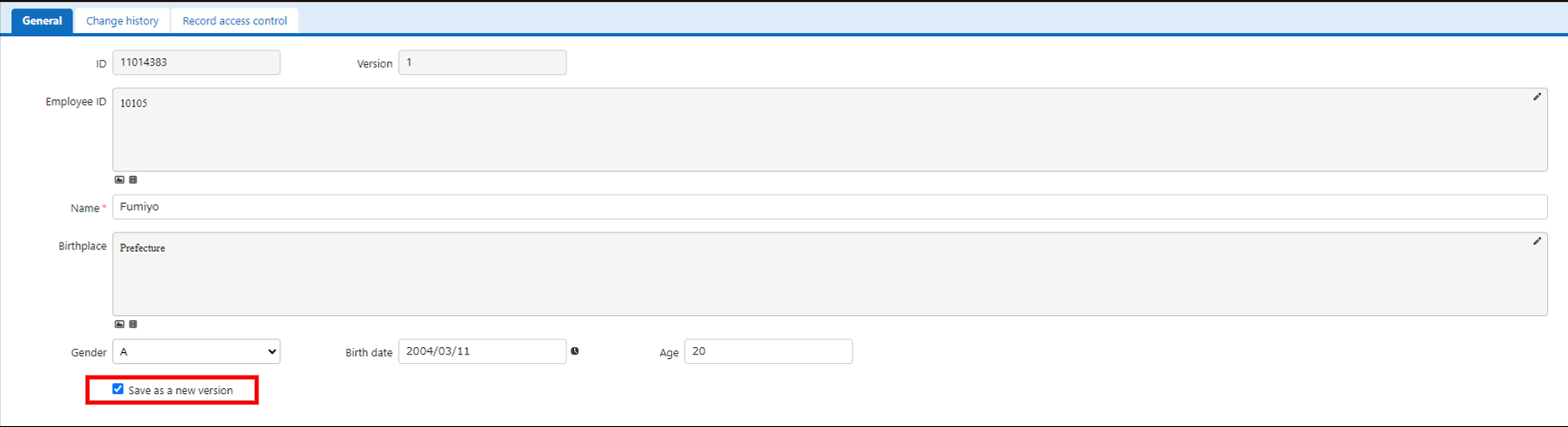
In the "Editor", this is the initial value of the "Save as a new version" checkbox that appears at the bottom of the screen. In the case of "Default", if either the updated datetime or the updater is different from the latest version of the record, it will be checked when the "Editor" is opened.