Server Script
Overview
By using the "Server Script" function, you can achieve conditional branching and complex calculations with simple code that could not be achieved with the conventional "Script" function executed on the client side. Also, unlike the "Script" function executed on the client side, the "Server Script" function is executed at the timing of adding/updating records by importing or operations by API.
Prerequisites
- You need the "Site Administration Permission".
Operation Procedure
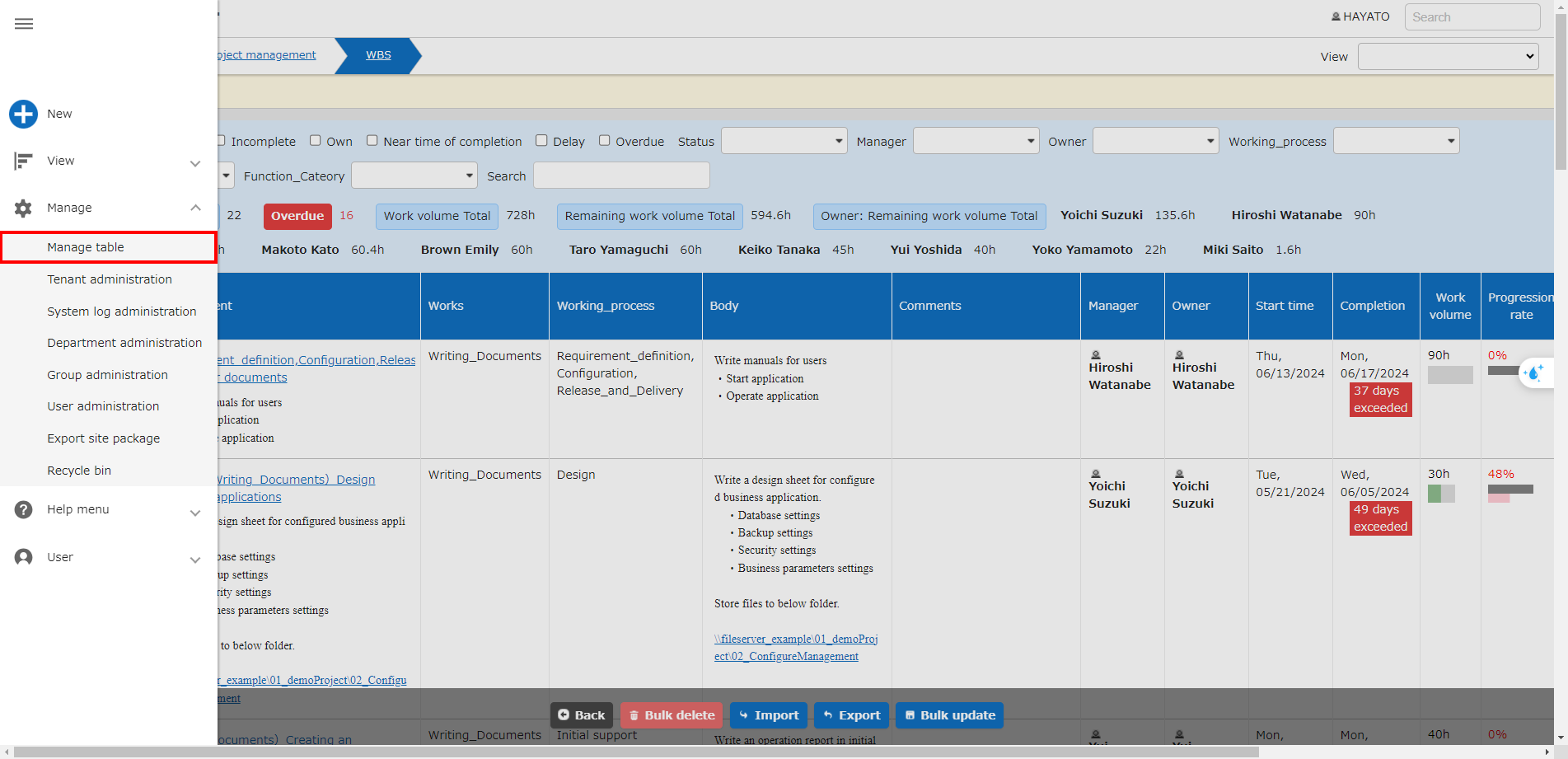
With the table open, click "Manage" > "Manage Table" from the navigation menu.
*This will not be displayed to users who do not have "Site Administration Permission".
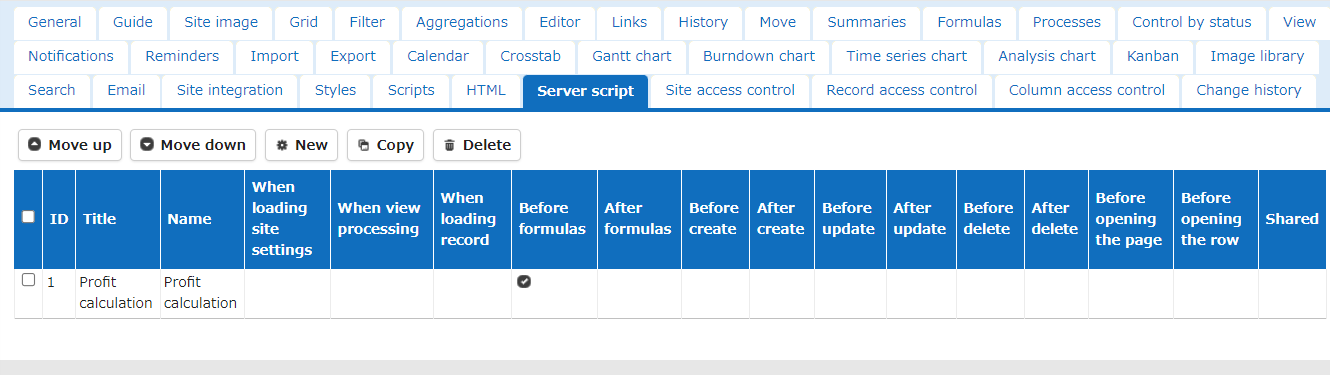
Click the Server Script tab from Manage Table to open it.
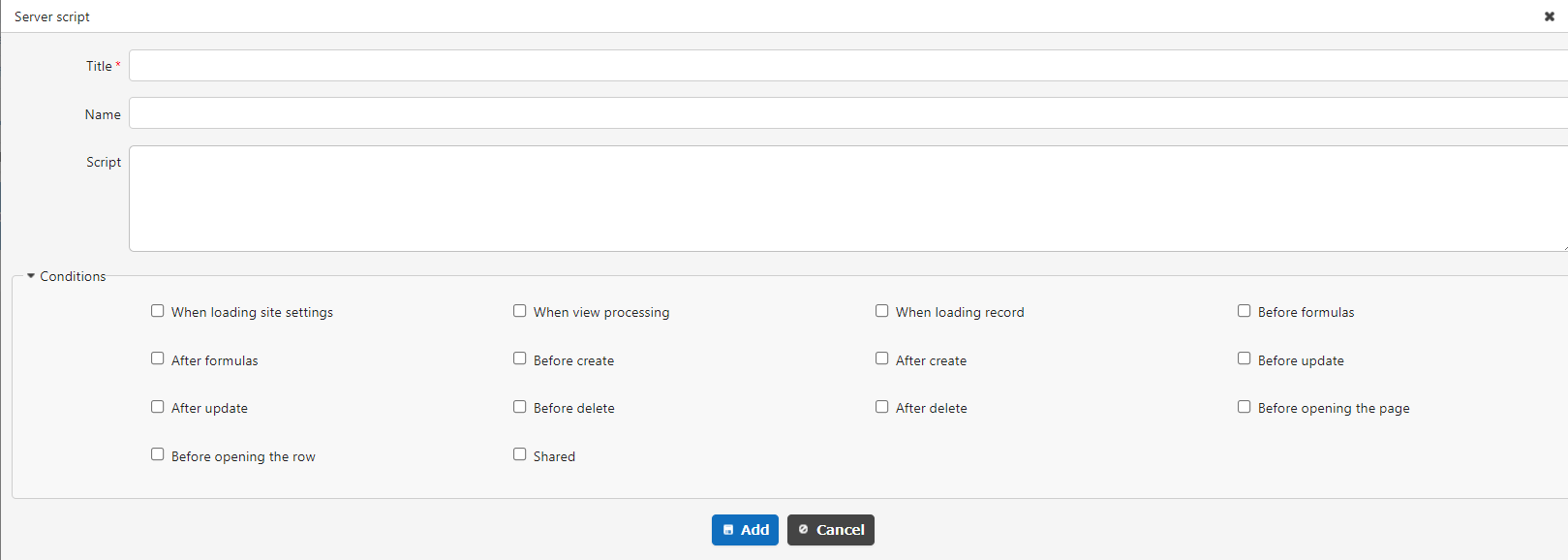
| Column name | Description |
|---|---|
| Title | Arbitrary script title |
| Script | Arbitrary script |
| Timeout | Specify server script timeout in milliseconds(*) |
| Conditions | Select conditions to execute |
*ServerScriptTimeOutChangeable in "Script.json" can be specified by enabling it (true).
Operating the List
The Server script tab of Manage Table displays a list of the server scripts created and added by developers. The server scripts in the list are loaded in order from the top.
By selecting server scripts with the checkboxes at the left edge of the list, you can perform the following operations.
| Button Name | Function |
|---|---|
| Move up | Moves the selected server script up by one. |
| Move down | Moves the selected server script down by one. |
| Copy | Duplicates the selected server script. The duplicated server script is added to the bottom of the list. |
| Delete | Deletes the selected server script from the list. When you click the Delete button, a confirmation dialog is displayed. Clicking the OK button deletes it from the list. |
Editing Server Scripts That Have Been Created and Added
Clicking a row in the list lets you edit a server script that has been created and added. For details, refer to Developer's Guide: Server Script: Create New and Edit.
New
Clicking the "New" button displayed above the list creates a new server script and adds it to the list. For details, refer to Developer's Guide: Server Script: Create New and Edit.
All disabled
Enabling the "All disabled" checkbox displayed above the list disables all the server scripts displayed in the list.
Enabling "All disabled" does not change the state of the "Disabled" checkbox of each server script (which you can check in the "Disabled" column of the list).
Get error details
This is a feature for developers. For details, refer to I want to output the error log of a server script.
Setting Example
Set a server script to be executed before creating a new record.
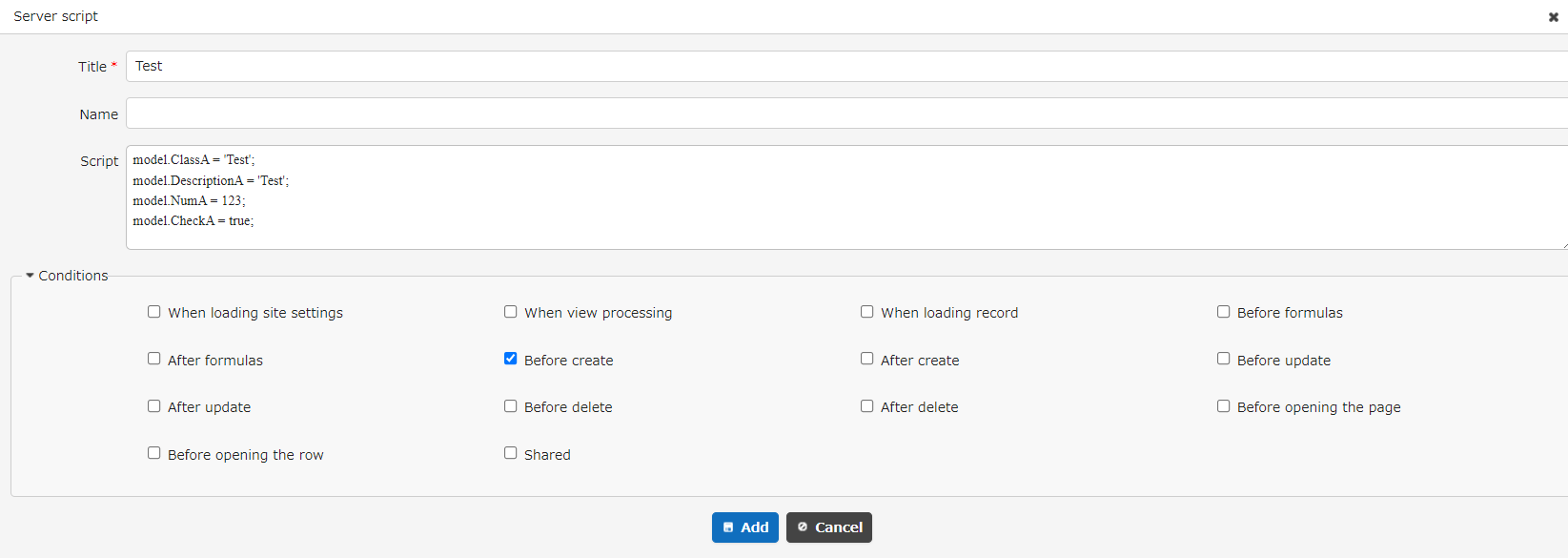
Code Samples
Here, insert a value into each item.
Execution Result
Enter only the title and click the Create Record button.
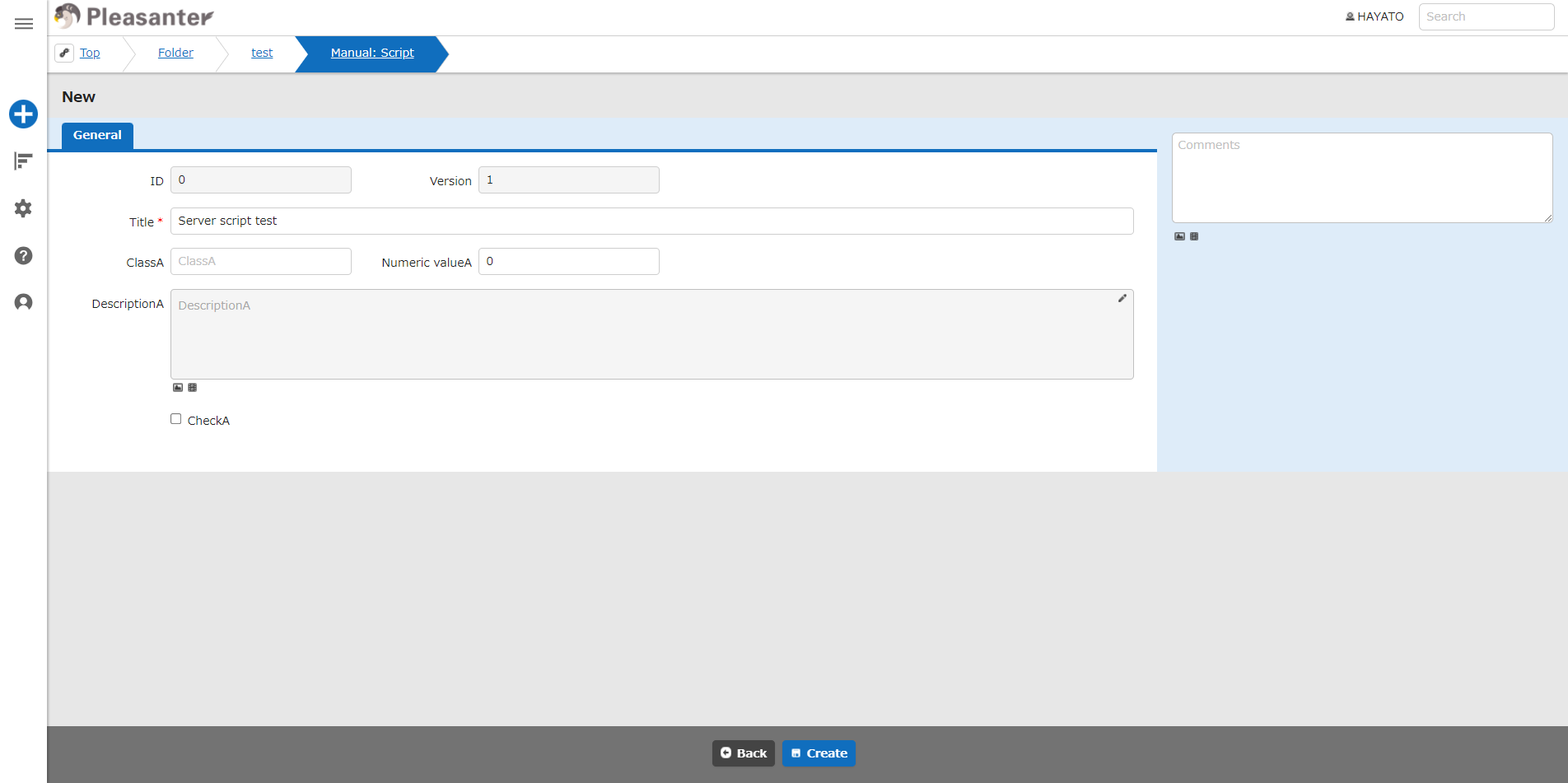
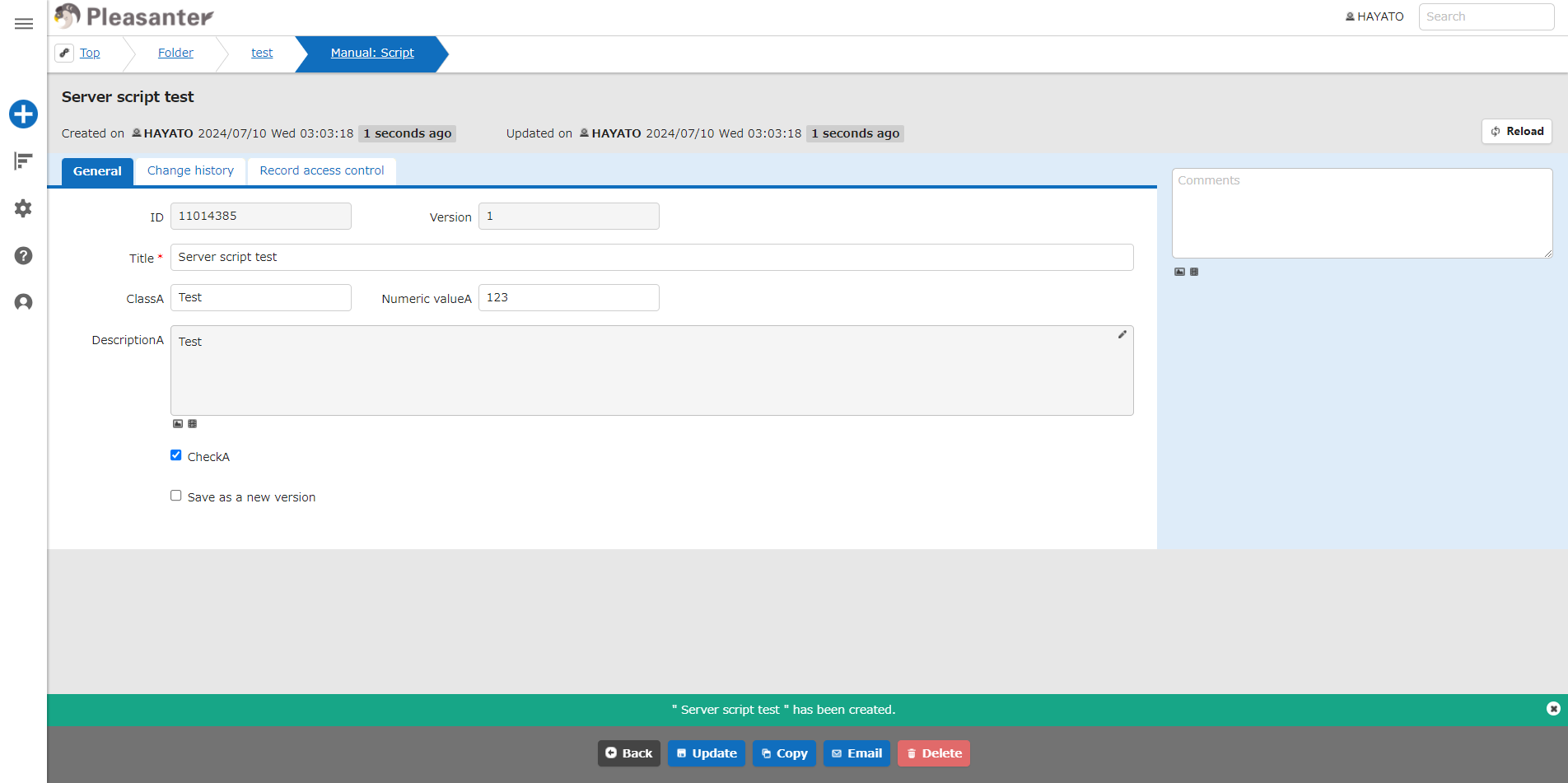
A script that specifies before creation as the execution condition for the server script is executed, and the specified values are inserted into each column before the record is created.
Supported Versions
| Supported versions | Body |
|---|---|
| 1.4.14.0 and later | Added the "All disabled" function |
| 1.5.1.0 and later | Added the "Get error details" function |