Site Settings Change History
Overview
Retrieves the change history of the target site settings to the log folder.
Operation Procedure
- Open "Settings.json" in Editor.
- Add the environment of the site to be retrieved to Environments. Set the Name / Title / Dbms / ConnectionString.
- Set the SiteId / Subtree of the target site to be retrieved to TargetSites.
- Launch Implem.PleasanterManagementStudio.exe.
- Click to select the target environment from the list of environments.
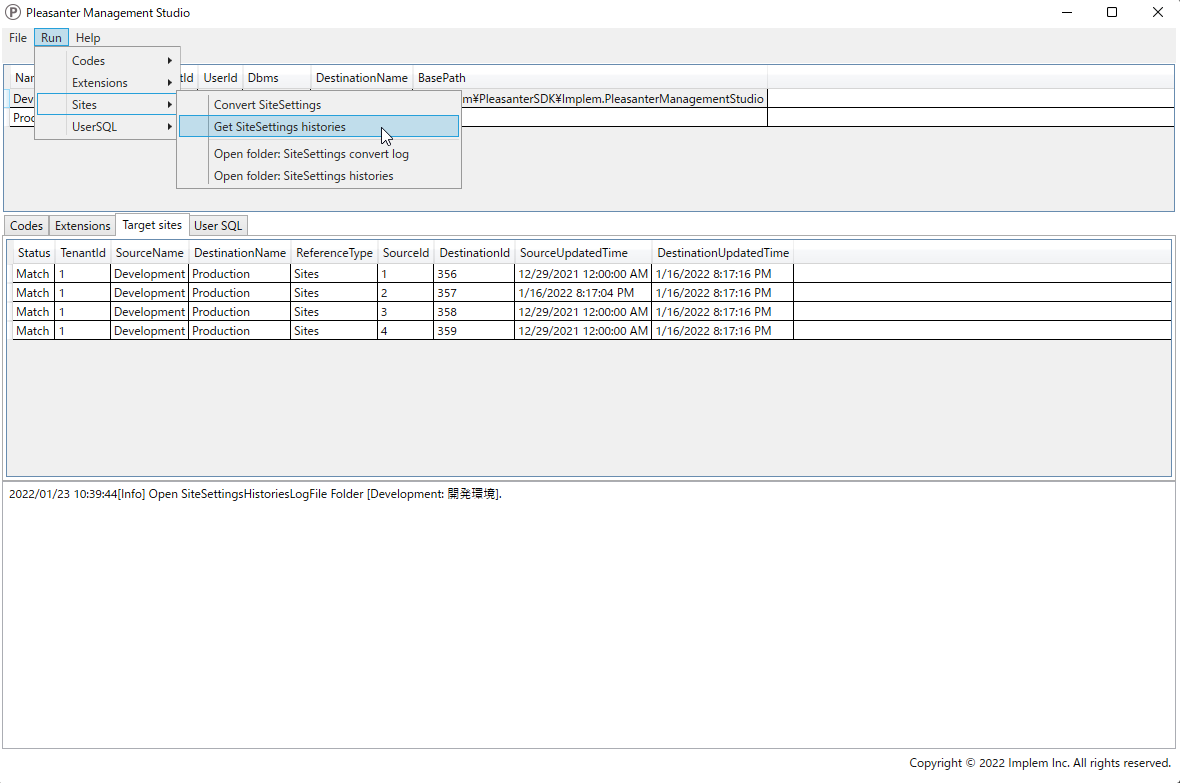
- From the menu at the top of the screen, click [Run] - [Sites] - [Get SiteSettings histories].
- Check the confirmation items in the dialog and click "Yes".
- Open the log folder by clicking [File] - [Open log folder] from the menu at the top of the screen.
- Open the [SiteSettingsHistories] folder in the log folder to view the retrieved site settings change history. You can also open the same folder by clicking [Sites] - [Open folder: SiteSettings histories] from the menu at the top of the screen.