Function Overview
Overview
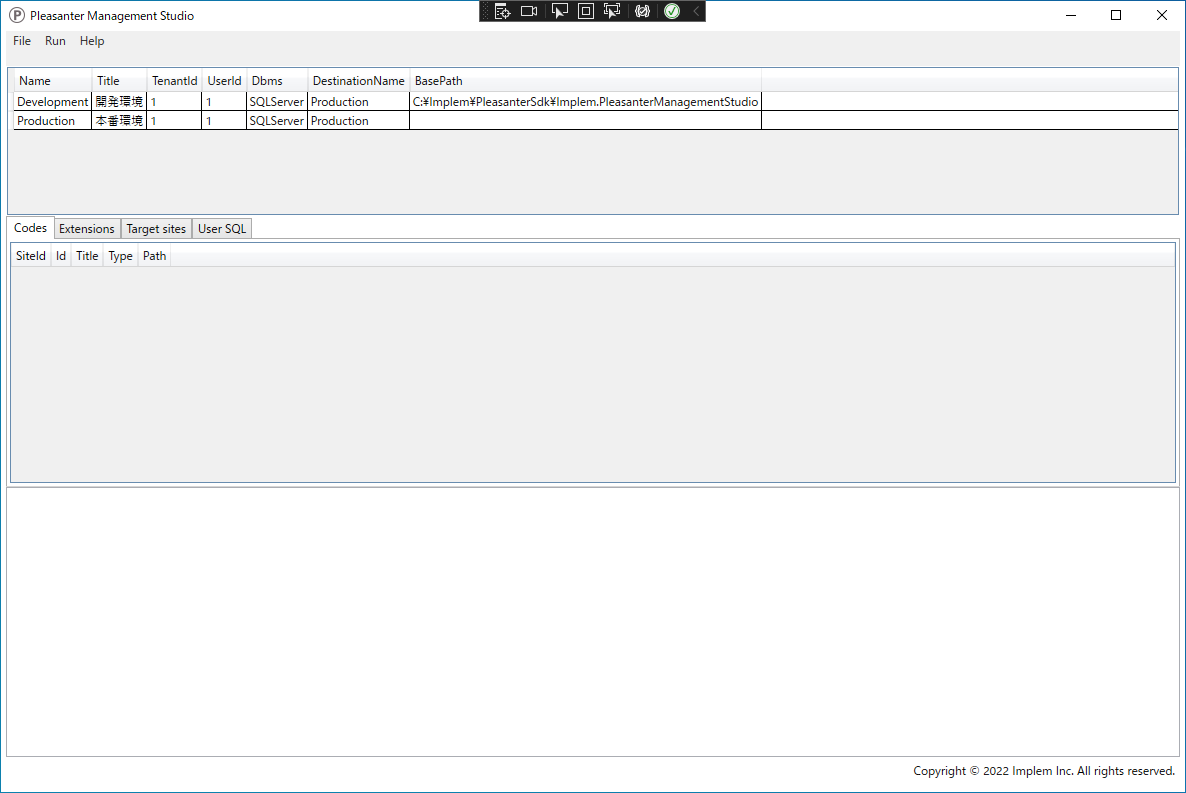
This software provides Pleasanter developers with the ability to upload source code such as scripts and CSS, migrate site settings, and more. Each function operates by directly accessing SQL Server or PostgreSQL, bypassing the Pleasanter web server.
Version
2.0.0
Operating Environment
This software operates in the following environments. The .NET8 SDK must be installed beforehand.
- Windows 10 / 11
- .NET8 SDK
Limitations
- This software operates by directly accessing the database. It cannot be used in environments that do not permit database connections, such as Pleasanter.net.
- To use this software, an Enterprise Edition license, provided with the annual support service contract, is required.
Function List
This software provides the following function.
Codes Menu
| Function Name | Description |
|---|---|
| Get SiteSettings Codes | Get the source code from the site-specific. |
| Upload SiteSettings Codes | Upload the source code to the site-specific. |
Extensions Menu
| Function Name | Description |
|---|---|
| Get Extensions | Get source code from the Extensions table. |
| Upload Extensions | Upload source code to the Extensions table. |
Sites Menu
| Function Name | Description |
|---|---|
| Convert SiteSettings | "Migrate site settings". |
| Get SiteSettings Histories | Get Site settings change history. |
UserSQL Menu
| Function Name | Description |
|---|---|
| Execute SQL | Extract records with SQL. |
| Open folder: CSV | Export extracted records in CSV format. |
Related Information
- Development Tools: Get Source Code from a Specific Site
- Development Tools: Upload source code to a specific site
- Development Tools: Retrieve source code from the Extensions table
- Development Tools: Upload source code to the Extensions table
- Development Tools: Site Settings Change History
- Development Tools: Extract Records with SQL
- Development Tools: Export the Extracted Records in CSV Format