Alert Settings
Overview
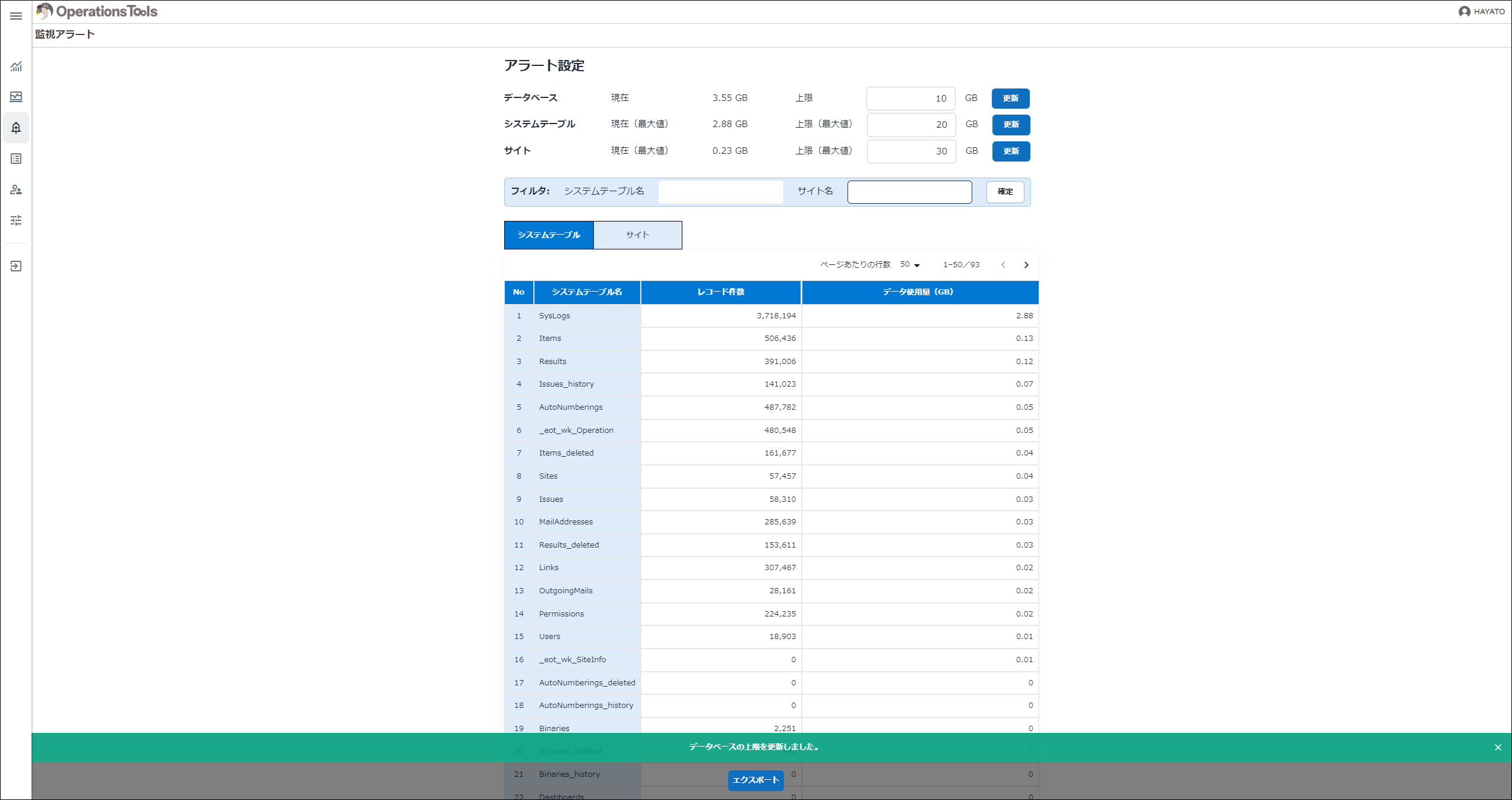
You can set alert thresholds by entering upper limits for "Database", "System Tables", and "Sites" and clicking the update button. When the update succeeds, a message is shown at the bottom of the screen.
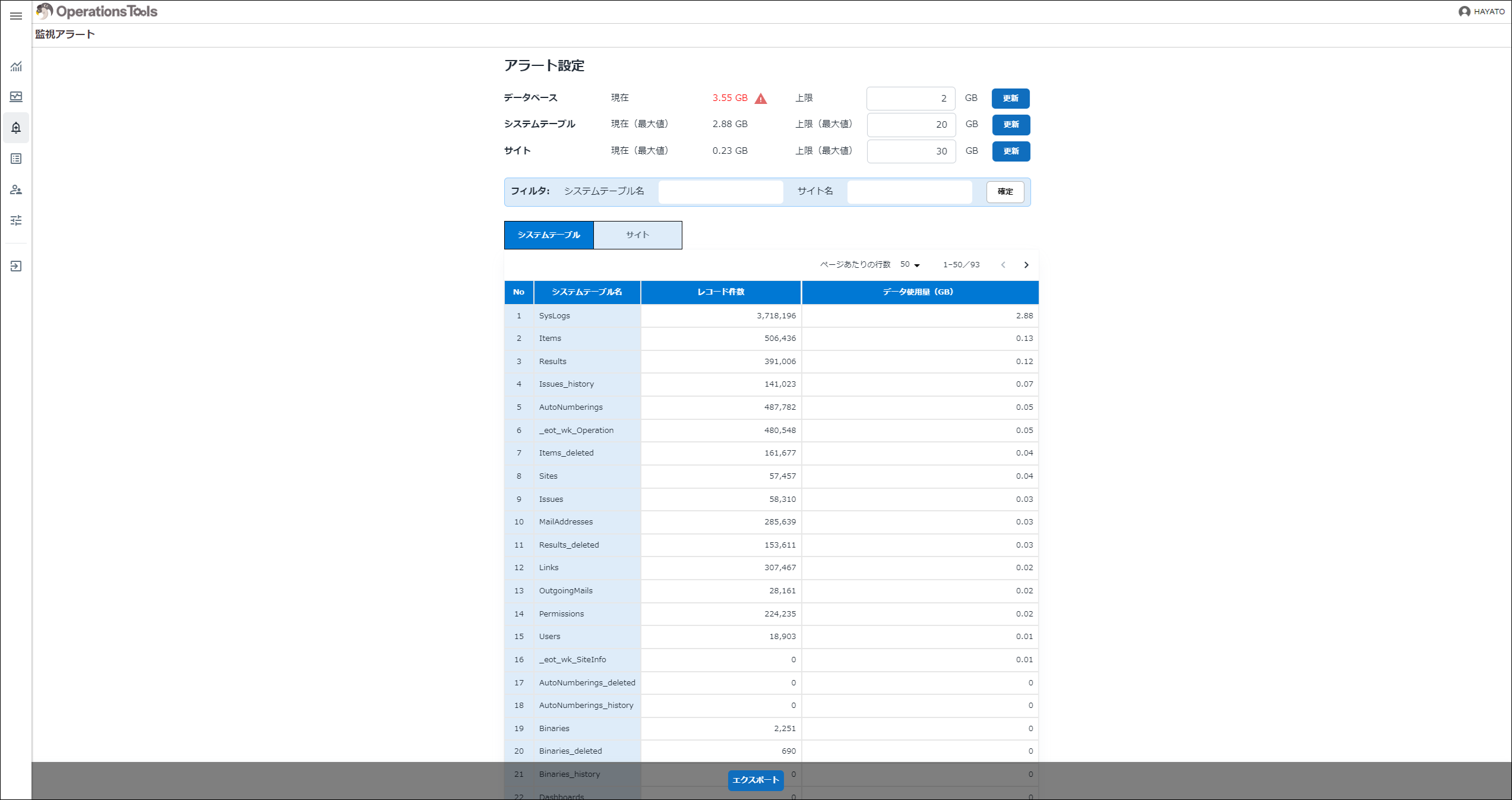
When a current value exceeds its alert threshold, the value turns red and an alert icon is shown.
| Display type | Item | Description |
|---|---|---|
| Single-line text | Database: Current | The current database usage (approximate) is shown. |
| Single-line text | Database: Limit | The database usage limit set by the user is shown. |
| Single-line text | System Tables: Current (max) | The current system table usage (approximate) is shown. |
| Single-line text | System Tables: Limit (max) | The system table usage limit set by the user is shown. |
| Single-line text | Sites: Current (max) | The current site usage (approximate) is shown. |
| Single-line text | Sites: Limit (max) | The site usage limit set by the user is shown. |