Table Function: View Record Change History
Overview
Use the "Editor" to view the change history of table records.
Limitations
- Change history cannot be edited. When you move to the change history, the "Update" button and other buttons will be hidden.
Prerequisites
- "Read Permission" is required.
Operation Procedure
- Go to the target table.
- Search for the target record from the "List Screen".
- Click the target record.
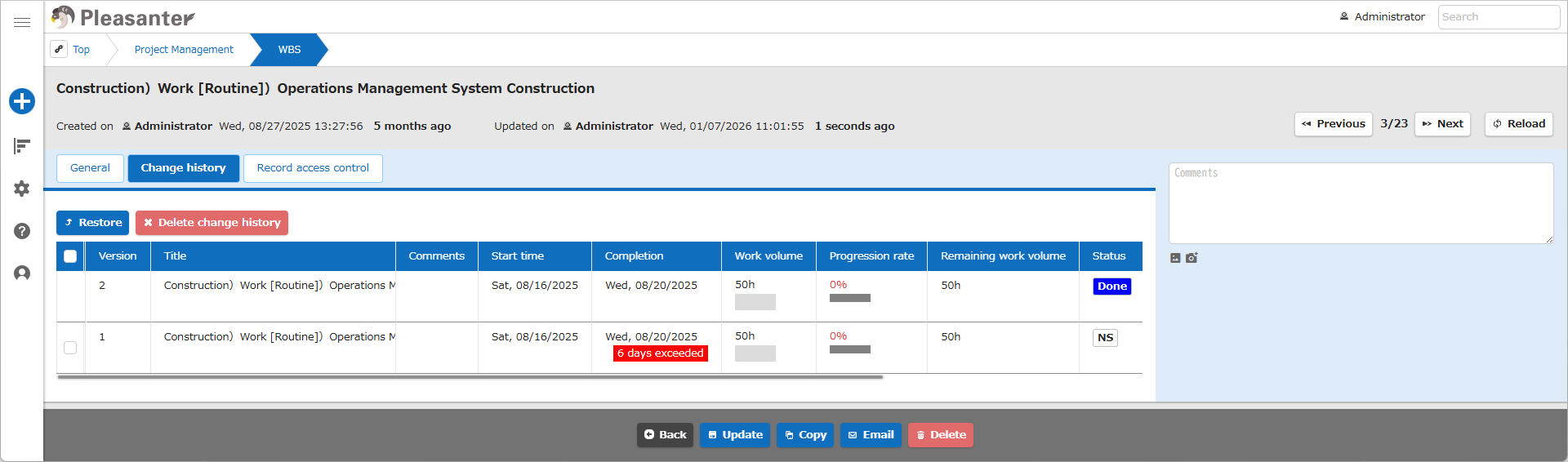
- The "Editor" will be displayed, so click the "Change History List" tab. You can check the change history.
- To check the details of a specific version, click the target row from the change history list. Information about the record of the specified version will be displayed on the screen.